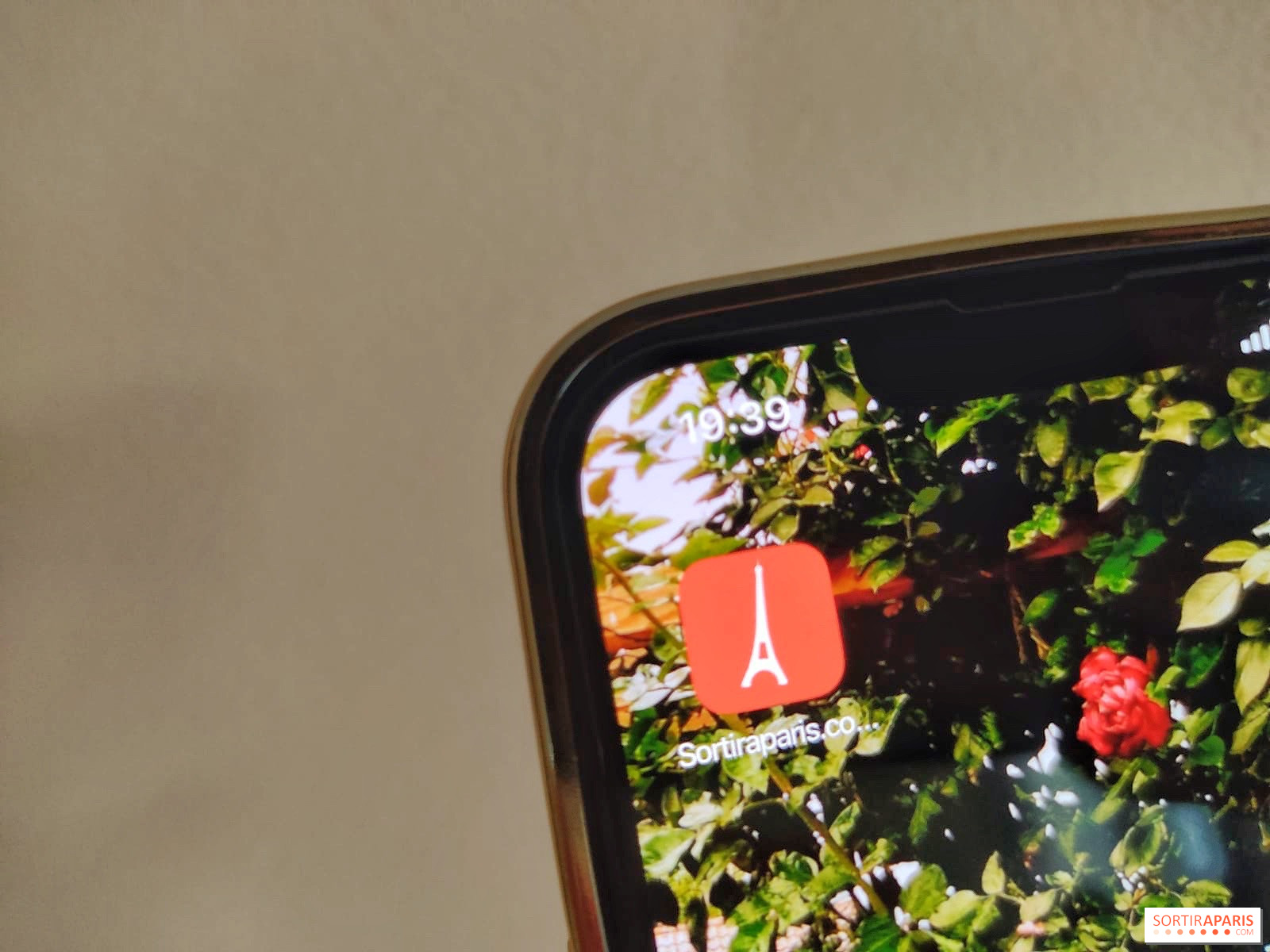
Would you like to have a Sortir à Paris application on your phone to keep you up to date? It's possible on all phones to create widgets from your favorite sites, so you can have them on your home screen, just a click away! Follow the tutorial to install it!
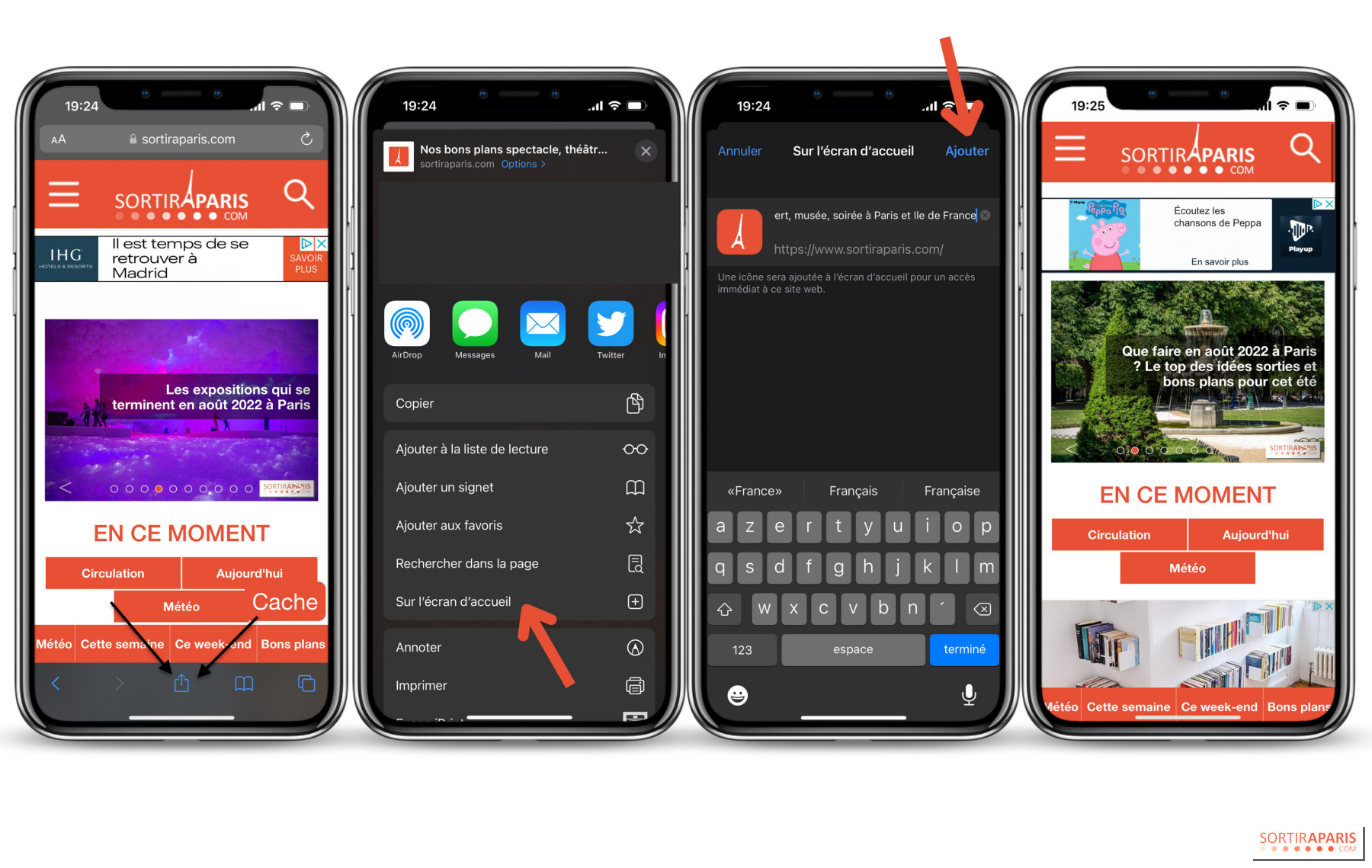
We'll start with the iPhone, on which you simply go to the Internet and type the name of the site into the Google search bar, as you normally would. When you get to the site, just click on the little square with an arrow at the bottom of your screen, which is used to share a link. Instead of sharing it, you click on"On home screen", then"Add". When you return to your home screen, you'll find the Sortir à Paris widget, with its recognizable color, and you can move it to your front page like a normal application!
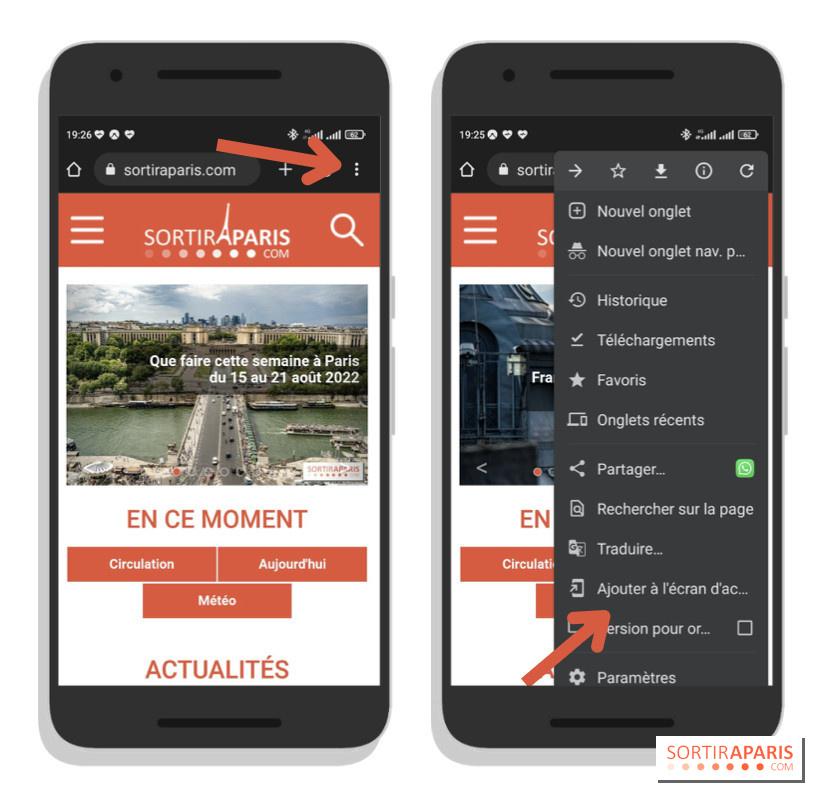
For Android users, the way to add the widget to your home screen doesn't change much! Simply click on the three little dots in your interface, go to the website and follow the same steps as for an iPhone.
And now there's a Sortir à Paris application that updates automatically! Perfect for keeping abreast of Parisian events and events in real time!