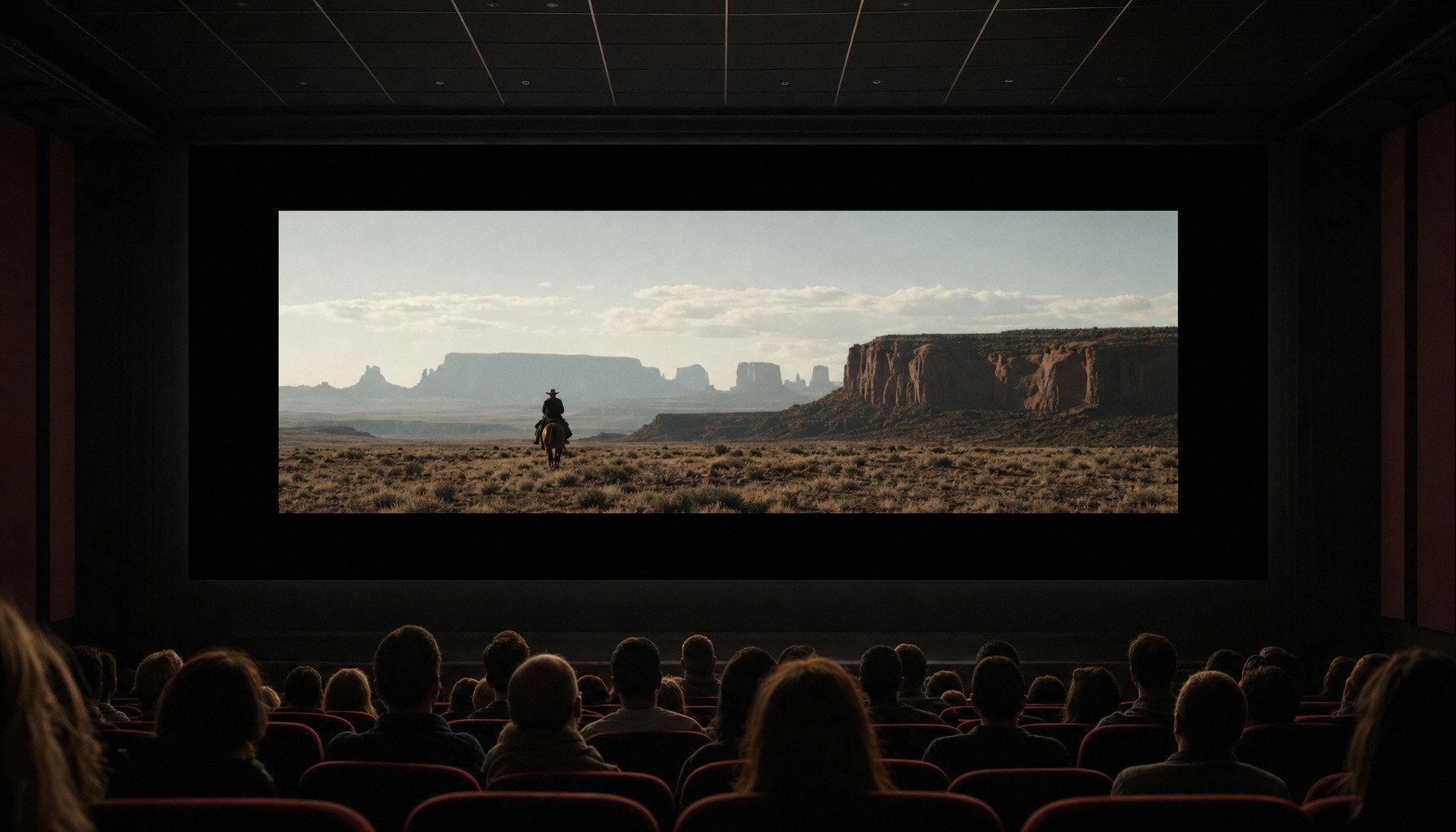
An image that shows black bars around it in a movie theater doesn’t automatically indicate a malfunction. The image format and the screen’s aspect ratio can differ. To keep the full frame intact without warping the characters or the sets, the projection may not fill the entire screen.
The format is defined by a width-to-height ratio. An image in a 2.39:1 ratio is thus 2.39 times as wide as it is tall. At the same height, it’s wider than an image in 1.85:1. The CST provides framing charts for these two proportions, but also for 1.33:1, 1.37:1 or 1.66:1: there isn’t a single cinema image shape.
Picture a display with a 1.85:1 aspect ratio showing a 2.39:1 image. If you keep the image’s full width, it will occupy less height than the screen, leaving black bars at the top and bottom. Conversely, a more tightly framed image on a very wide screen can leave space on the sides. This difference comes from the proportions, regardless of the room’s size.
Filling the frame at any cost doesn’t solve the problem. Zooming in to erase those gaps can cut off parts of the image, while stretching it in one direction distorts its proportions. In a CinemaScope-focused article, the BFI recalls the role of the black bars in preserving compositions when moving to a screen with a different aspect ratio.
Projection settings remain essential. The CST-FNCF technical guide distinguishes between adjusting the lens and changing formats. CST test patterns define the image area to be projected. The correct reference is to adhere to the intended framing: just having black bars does not, by itself, indicate a projection fault.
This page may contain AI-assisted elements, more information here.